How to make a storymap: the basics for improving your backlog
Story mapping is a method for organising user stories, allowing a holistic view of the entire experience.
What is story mapping?
Story mapping is a method for organising user stories and allows you to create a more holistic view of the whole experience and process. And yes, it’s also a method that can be proposed, used or moderated by designers.
I’ve used this method with product teams working mostly in agile, where maturity is still low and there’s a need for guidance. It forces and teaches teams to write user stories properly: thinking more about users and less about the solution or technical limitations.
By the end of a story mapping you should have:
- A holistic view of the product (backlog)
- Features broken into user stories
- User stories broken into technical tasks
Benefits
Story mapping can be used at several points in your project, such as sprint planning. It should be a living document, updated as needed.
- Promotes product vision
- Gives technical teams a view of future work
- Makes it easier to map everything visually and decide the MVP for the first release
Who should attend this workshop?
- User Experience teams
- Development teams
- Product owner / manager
- Scrum master
How to do story mapping
Story mapping should represent user tasks in a narrative way. A user story should represent an intention and a goal, not a feature.
Don’t focus on technical complexity, focus on the user’s tasks. It’s important that everyone involved understands the process so they feel comfortable participating.
I’ve run workshops with developers who start panicking if we don’t talk about technical tasks straight away. Tell them we’ll get there in due time, but that starting from the user’s perspective is essential.
Start by defining the persona and describing their journey
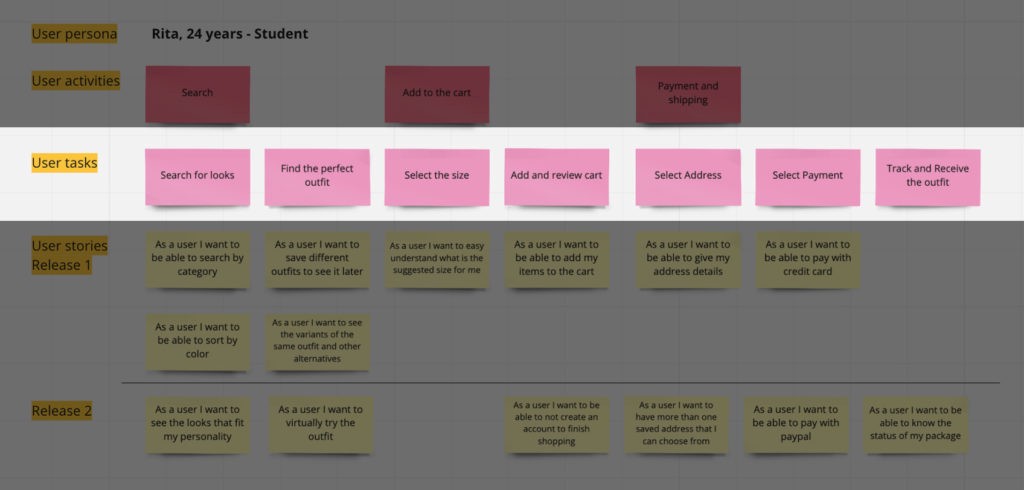
If something has already been created, place that task in the centre and fill in the tasks that happen before and after. Remember to write tasks narratively and define the persona properly.
Map tasks into activities
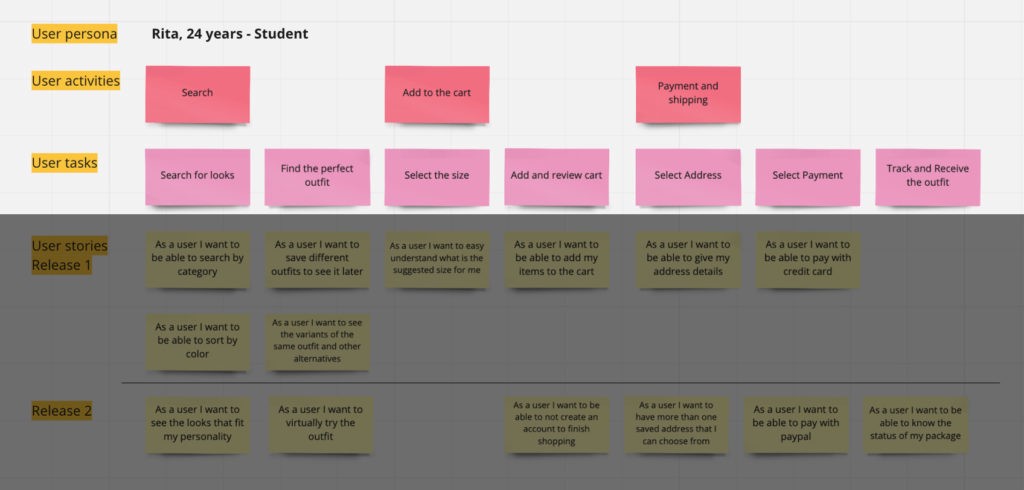
Now that you have the user’s tasks, you can categorise or organise them into activities. Later these could become the epics used in product management.
Create the user stories
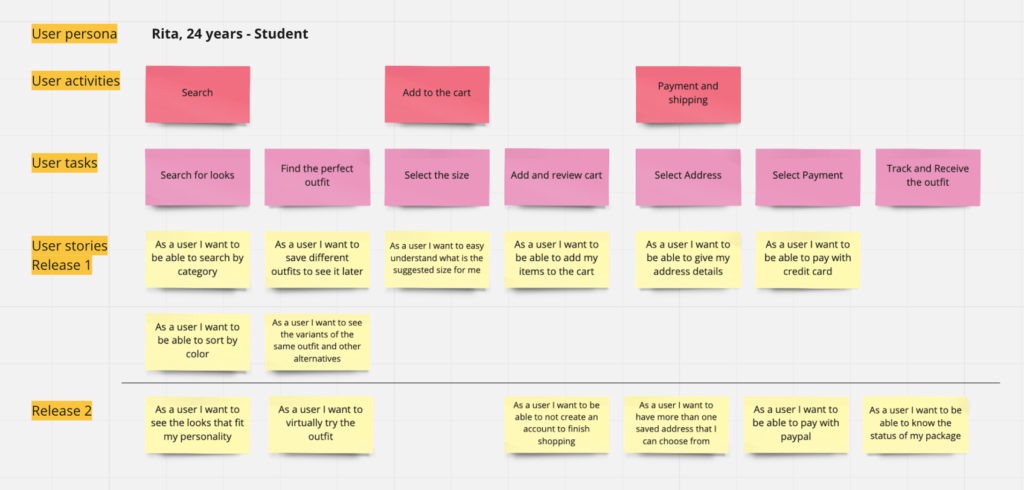
You now have the base of your map and can start creating user tasks in more detail. Always from the user’s point of view.
The best-known template:
“As [persona], I [want that], [so that].”
In practice: “As Sarah, I want to organise my work, so that I feel more in control.”
Define priorities and what goes in the next release
It should now be possible to prioritise user stories. You can help the Product Manager split them by release, depending on your product management style (continuous delivery, seasonal release, etc.).
This mapping lets you understand what will ship over time and the value each version brings for users to reach their end goal.
Priorities can always change, especially once you understand the technical difficulty of each one. But the starting point is user value.
Break each user story into technical tasks
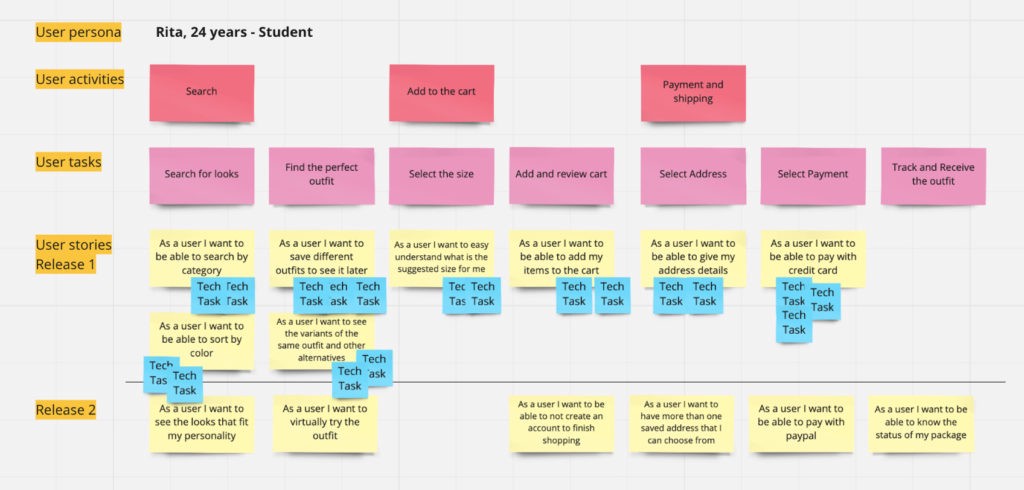
In the final phase of the workshop we break user stories into technical tasks. These allow development teams to understand what needs to happen to support each user task, and make estimation and prioritisation easier based on user value.
Further reading: